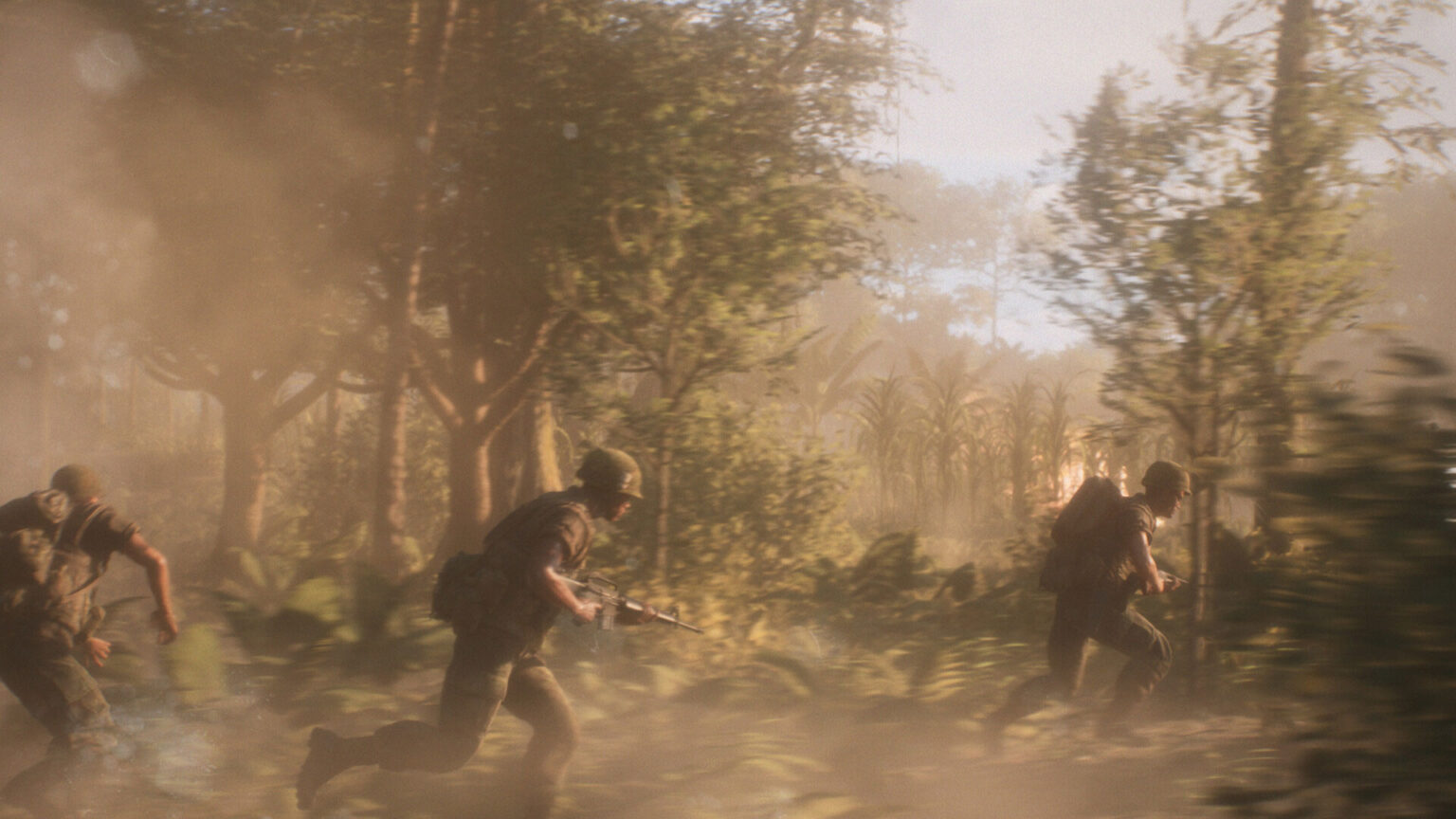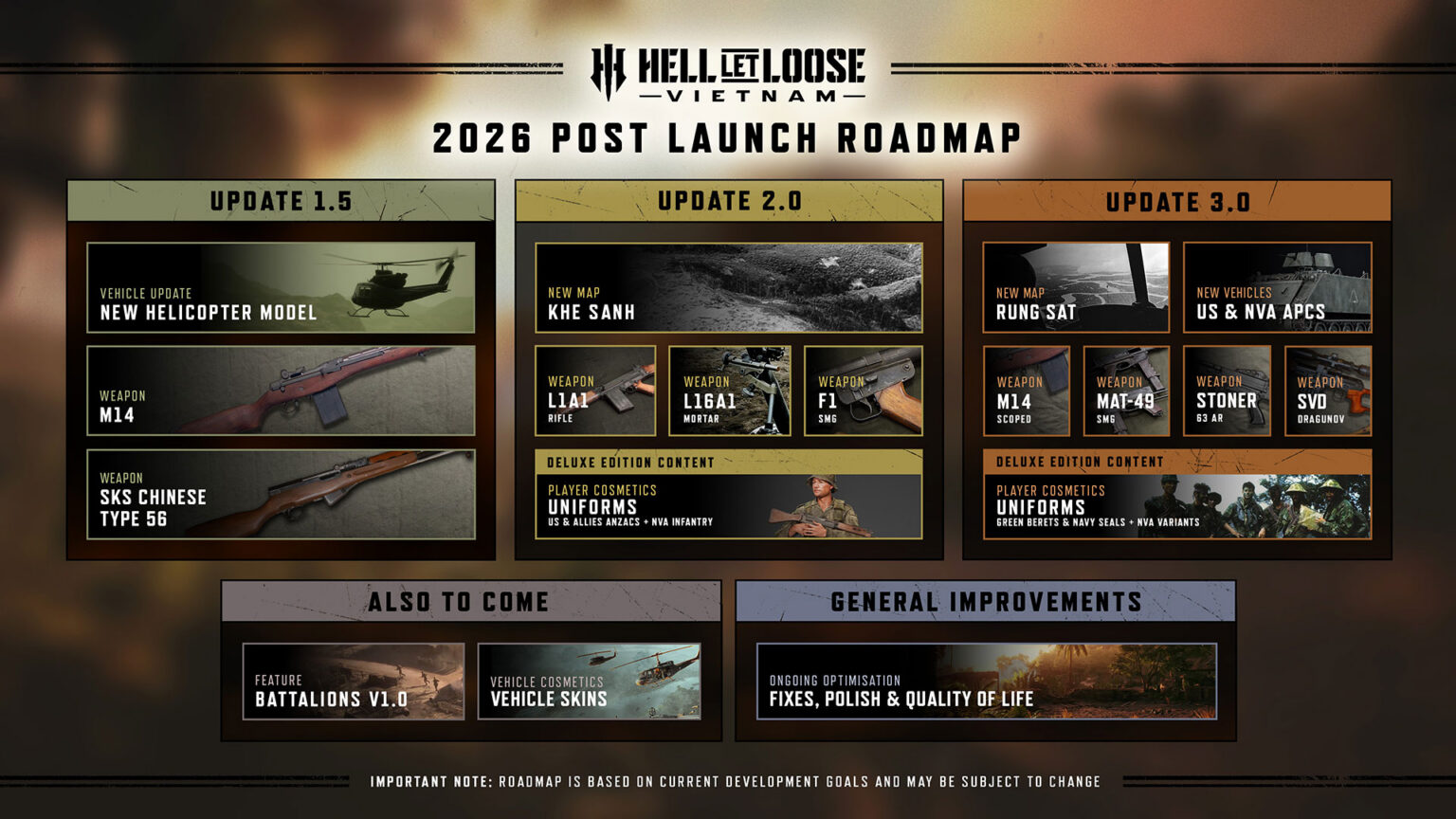
Hell Let Loose: Vietnam has only been on the battlefield for a week, and Team17 and Expression Games have already mapped out where the 50-vs-50 shooter goes from here. The first content update, scheduled to roll out in the coming weeks, is headlined by the fully licensed Huey helicopter and adds two new weapons to the arsenal, the M14 and the Chinese Type 56 SKS. Beyond that, the teams say the rest of 2026 brings more weapons, more vehicles, and new battlefields.
The more immediate news is Patch 1.2, which is live now and packs over 500 individual bug fixes and improvements. Highlights include a fix for the server crash tied to tunnel usage, a cleanup of HUD elements that would stay stuck on screen like Medic markers and capture points in Offensive, improved knife hit registration, and better image stability on consoles, particularly in shadowed areas. There’s a stat-tracking fix in there too, as non-headshot kills now correctly count toward the Longest Kill statistic, along with a round of keybinding repairs.
Alongside the content updates, the teams say regular quality of life patches and hotfixes will continue based on community feedback, with Patch 1.3 targeted to arrive as soon as next week. The quick cadence tracks with how the game got here, since Team17 delayed the launch from June 18 to August 13 after more than 350,000 players joined the open beta and surfaced issues the studio wanted to address.
Full Patch 1.2 Changelog
Stability & Performance
- Fixed an issue on Xbox where the game could briefly freeze while driving vehicles.
- Improved helicopter movement stability on PlayStation 5 when slowly turning.
- Improved performance when opening the 3D Tactical Map.
- Improved animation smoothness for stationary players rotating on the spot.
- Improved the movement animations of players positioned towards the edges of the screen.
- Fixed a client crash that could occur during boot when rapidly clicking the left mouse button.
- Fixed a server crash that could occur when destroying, replacing, or reconnecting an NVA Tunnel while a player was travelling through it.
Weapons & Equipment
- Fixed non-headshot kills not contributing towards the Longest Kill statistic.
- Fixed the green straps of the NVA LPO-50 clipping into uniform straps.
- Reduced excessive force being applied to players by M203 and M79 grenade explosions.
- Fixed the RPD reload animation not displaying correctly in third person after firing individual shots.
- Fixed an incorrect button prompt when selecting timed Satchel settings.
- Fixed the Mortar replacement failure UI incorrectly displaying an AT Gun.
- Fixed the player model moving off-screen when crouching with US Bandages equipped.
- Fixed the player’s hand clipping through the Type 53 PU when using the bayonet.
- Fixed an issue allowing the NVA Machine Gunner to equip two AA Wrenches simultaneously in the Barracks.
- Fixed rotating the DH10 AP Mine to the left also triggering a player ping.
- Fixed the downed UI persisting on the Match End Screen.
- Fixed the weapon fire mode HUD icon not updating correctly after changing language.
- Players can now request a Medic each time they are downed.
- Fixed visual issues with the M72 deploy animation while crouching or prone in third person.
- Fixed the Type 53 PU appearing to float during a reload while crouch-walking.
- Fixed an issue preventing players from requesting a Medic more than once during a match.
- Fixed placeholder textures appearing on the NVA Knife in third person.
- Fixed the Satchel disappearing from the player’s hands when cancelling the placement animation.
- Corrected the positioning of player nameplates and equipped weapon information on the HUD.
- Fixed the Medic revive UI occasionally displaying a placeholder name and incorrect distance.
- Fixed visible transparency artefacts on Blowtorch spark effects.
Vehicles & Helicopters
- Helicopters can no longer be flown underwater.
- Improved tank collision with small bumps and uneven road surfaces.
- Fixed players killed by helicopter blades immediately appearing in a T-pose.
- Fixed an issue where tap-firing the front Boat Machine Guns only fired one weapon, resulting in incorrect ammunition usage.
- Fixed a transparent asset appearing on the underside of the US Boat Supply & Repair Station.
- Fixed some tank zoom levels occasionally being unavailable on PC.
- Corrected Transport Helicopter Gunner seat positions on the Vehicle Entry Wheel.
- Selecting a communication channel while occupying a Gunner seat no longer moves the player’s aim.
- Fixed players occasionally sliding without a walking animation after exiting trucks, boats, or helicopters.
- Pilots and Logistics Officers can now enter helicopters as passengers.
- Fixed unintended vehicle collision on part of a small cut-tree asset.
- Updated the dismantle message for the AA Gun.
- Fixed multiple issues that could make the Transport Helicopter’s left Gunner seat unusable.
- Player nameplates now display correctly on the Tactical Map and Deployment Screen when inside a vehicle acting as a spawn point.
- Helicopters destroyed due to inactivity now correctly display their destroyed model.
- Increased truck speeds to better align with their Hell Let Loose counterparts.
- Fixed players killed inside helicopters briefly appearing standing in mid-air.
- Vehicles in Conquest and Domination now take damage when left out of bounds.
- Fixed the AA Gunner appearing stationary in third person after rotating approximately 180 degrees.
- Boats now take damage when left out of bounds for an extended period.
- Removed placeholder text appearing on vehicles acting as active spawn points.
- Fixed ground textures incorrectly projecting onto helicopters.
- Fixed players sliding after leaving an AA Gun.
- Adjusted helicopter damage collision to better match the actual size of the aircraft.
Commander, Squads & Deployables
- Fixed an issue allowing a recreated unit to dismantle a Tunnel placed by the original unit.
- Improved NVA Tunnel placement behaviour.
- Players travelling through Tunnels now move along the Tunnel connection correctly on the Tactical Map.
- Fixed unintended mantling routes through and over the Level 3 NVA Bunker.
- The Ammo Trailer is now correctly labelled instead of being referred to as an Ammo Depot.
- Fixed an incorrect kick message appearing after a Vote to Kick concludes.
- The 3D Tactical Map now updates correctly when the Commander Encourage ability is activated or expires.
- Fixed the Commander role becoming non-interactable after switching teams.
- Fixed US Commanders and Infantry Squad Leaders occasionally deploying without a weapon equipped.
- Corrected wording in the Artillery Strike description within the Orders menu.
- Commanders can now place abilities correctly in relation to Squad Leader markings.
- Fixed the NVA Commander Precision Strike incorrectly destroying Bunkers.
- Improved consistency of the Precision Strike ability.
- Fixed the Tank Commander Smokescreen automatically firing after reloading.
- Fixed an issue that allowed squads to exceed their intended player limit after a member was kicked.
UI, HUD & Settings
- Corrected the progression order of Master Sergeant and First Sergeant.
- Corrected the description for the Look Deadzone setting.
- Fixed closing the 3D Tactical Map using M and Esc causing loss of HUD and player input.
- Fixed characters continuing to run on the spot after a match ends.
- Fixed placeholder text appearing on Scoreboard buttons when Streamer Mode is enabled.
- The Offensive capture progress indicator now displays the correct colour when attacking or defending a sector.
- Custom Tactical Map keybindings are now correctly reflected within the map.
- Assigning a key to a new action now correctly removes it from its previous action.
- Fixed scaling issues in the Controller Settings menu at resolutions of 1600×900 and below.
- Fixed the non-verbal radial wheel appearing when rotating supplies while using Controller Layout B.
- Gunner Fire and Gunner Alt Fire keyboard bindings no longer reset after leaving the Options menu.
- Updated the game credits for Lionbridge and Pixel Bowl FQA.
- Improved the contested Capture Point progress UI in Warfare.
- Fixed an issue where players could lose input after sending a message in Unit or Team chat from the Deployment Screen.
- A warning is now displayed when assigning duplicate keybindings.
- Fixed the Health and Safety message being skippable during boot.
- Added missing F key confirmation prompts to several menus.
- Added missing faction icons to US and NVA Offensive loading screens.
- Fixed the player’s own nameplate and friendly icon being visible while using Admin Camera.
- Fixed Offensive Capture Point markers remaining stuck on-screen after moving away from the objective.
- Improved descriptions for Move and Look actions in the Gamepad Controls menu.
- Players can now correctly unbind inputs.
Audio
- Fixed weapon fire audio appearing to jump position when switching weapons.
- Fixed Reset to Default not correctly resetting the Mute on Focus Loss audio option.
- Stereo Balance settings now save correctly after restarting the game.
Animation & Visuals
- Improved character lighting in dark environments, including visual issues affecting glowing arms and water effects.
- Fixed held items behaving erratically after vaulting from a sprint.
- Fixed placeholder textures appearing on multiple Recon uniforms.
Tutorials & Field Manual
- Added missing swimming control information to the Swim tutorial.
- Added missing instructions to the Use Ladder tutorial.
- Fixed the Commander Artillery Strike progress bar changing after reaching 100%.
- Fixed D-pad navigation cycling through unavailable options in the Tutorial Ping Menu.
- Fixed truncated text in the Specialist & Engineer Upgrade tutorial hint.
- Fixed the Armor Periscope tutorial displaying “NOT ASSIGNED” for Change View.
- Fixed the Armor Enemy Armor tutorial displaying “NOT ASSIGNED” for Fire.
- Fixed Field Manual text extending beyond the screen on 16:10 displays.
- The Field Manual no longer opens on the Armor page by default.
- Fixed the Tank Gunner view snapping when changing aiming direction while zoomed.
- Fixed “Not Assigned” appearing for the Commander Select/Place Ability control.
- Fixed a tutorial soft lock where a helicopter with a destroyed Tail Rotor could spin out of bounds without being destroyed.
- Updated inconsistent location names between the regular HUD and Tactical Map during tutorials.
- Updated outdated information in the NVA Artillery Strike section of the Field Manual.
- Fixed Field Manual text containers retaining the width of the previously selected entry.
- Fixed Capture Point progress bars remaining permanently visible during the Squad Leader tutorial.
- Fixed the tutorial Tank exploding if left unattended between specific tutorial stages.
Online, Servers & Platforms
- Improved consistency of knife attack kills from all angles.
- Corrected missing words in the locked descriptions for the Relentless and Surprise Attack achievements on Xbox.
- Fixed a PlayStation 5 soft lock that could occur when rapidly pressing buttons during the Redeploy or Leave Server confirmation.
- Fixed players being unable to mute party members or change Open Microphone behaviour in Party Voice Chat.
- Updated Microsoft Store links to direct players to the Hell Let Loose website.
- Fixed Party Voice Chat not functioning correctly.
- RCON now displays the Ban Reason, remaining ban duration, and Admin name when unbanning a player.
- Fixed players occasionally deploying onto a server without a weapon equipped.
- Resolution of the Commander overlays around the 3D Tactical Map vignette on Xbox Series S has been improved.
- RCON now correctly displays the reason a player was punished.
- Fixed visual issues with the Front End explosion animation on Xbox and PlayStation 5.
- Fixed a missing string in the Xbox Controller settings menu.
- Fixed VIP reservations incorrectly affecting both active server slots and queue slots.
- Fixed Player IDs not displaying correctly on PlayStation 5.
General
- Fixed an issue where players begin swimming in the air.
- Added the intended additional magazines to the M79 loadout.
- Fixed enemy icons remaining on-screen after using Admin Camera.
Maps & Environments
Our Art Team has been hard at work across all six launch maps, with hundreds of bugs and environmental issues now fixed.
These improvements cover a wide range of areas, including collision, visual issues, LODs, foliage, terrain, asset placement, and general environmental polish.
Continue?
Like our content?
Subscribe to our newsletter and get video game news, reviews, features, and deals straight to your inbox.
You're subscribed!
Thanks for signing up. Look for an email from Substack at .
No email after a few minutes? Subscribe on Substack.
This newsletter may contain advertising, deals, or affiliate links. Subscribing to the newsletter indicates your consent to our Privacy Policy. You may unsubscribe from the newsletter at any time.